



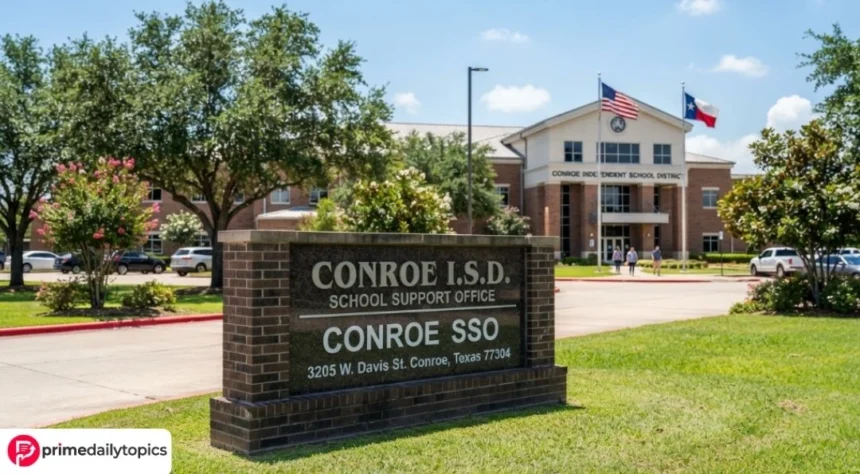
Conroe SSO is the Single Sign-On system used by the Conroe Independent School District (Conroe ISD) in Texas. The district uses ClassLink to provide students and employees with one central login for authorized school applications and digital resources. Conroe ISD’s official instructions direct users to sso.conroeisd.net to access the system. Conroe ISD Knowledge Base
Instead of signing into supported applications separately, users can authenticate through Conroe SSO and then open the resources assigned to their district account.
What Is Conroe SSO?
SSO stands for Single Sign-On. Conroe ISD describes its SSO as the district platform used to access internal applications and links. The current system is based on ClassLink. Conroe ISD
The portal is intended primarily for Conroe ISD students and employees. Which applications appear after login depends on the user’s account and permissions.
The official portal is:
Users can also reach it from the official Conroe ISD website. For employees, the district instructs users to open the Employees section and select CISD SSO. Conroe ISD Knowledge Base
How to Log In to Conroe SSO
For a standard login, open the official SSO portal and enter the Conroe ISD username and password assigned to your account.
New employees may initially receive temporary credentials. Conroe ISD’s current setup guide instructs first-time users to sign in with their assigned username and temporary password and then complete the required security setup. Conroe ISD Knowledge Base
Employees should follow the district’s instructions rather than using credentials found in unofficial online guides.
Conroe SSO for Students
Students also access district resources through ClassLink SSO. Conroe ISD maintains dedicated support documentation covering student passwords, MFA security images, missing ClassLink applications and QuickCards. Conroe ISD Knowledge Base
One particularly convenient option is the ClassLink QuickCard.
A QuickCard is a unique QR code provided to eligible students. Instead of manually entering a username and password, a student can open the SSO portal, choose the QuickCard option and scan the card using the device’s camera. Conroe ISD Knowledge Base
Students should keep their QuickCards secure because they provide access to their school account.
What Can You Access Through Conroe SSO?
The applications available through Conroe SSO vary by user. The portal acts as a gateway rather than being a single educational application itself.
For example, Conroe ISD identifies Canvas as its learning management system and instructs users to navigate to Canvas through ClassLink SSO. Conroe ISD Educational Technology
The district also documents SSO access for other services. Its Eduphoria instructions tell students to sign into SSO, find Eduphoria Online Testing and then authenticate through ClassLink. Conroe ISD Knowledge Base
Similarly, Conroe ISD’s Home Access Center directs students to use Conroe ISD SSO rather than the disabled direct HAC login form. Parents are directed to the separate Parent Portal. Conroe ISD Home Access Center
How to Reset a Conroe SSO Password
If you forget your password, use the recovery process provided on the official ClassLink login screen.
According to Conroe ISD’s current instructions:
- Open the Conroe SSO login page.
- Select Help, I Forgot My Password.
- Enter your username.
- Choose an available recovery method, such as SMS or email.
- Enter the verification code and follow the instructions to create a new password. Conroe ISD Knowledge Base
Conroe ISD states that passwords expire every 90 days. Its employee password-reset documentation also says that five unsuccessful login attempts can temporarily lock an account for 15 minutes. Conroe ISD Knowledge Base
Student lockout procedures may differ, so students should follow the district’s student-specific support instructions.
Conroe ISD SSO and Password Reset Help
What If Conroe SSO Is Not Working?
A failed login does not necessarily mean the entire SSO service is unavailable. An incorrect password, account lockout, browser issue or problem with an individual application can also prevent access.
Conroe ISD operates an official system-status page where users can check services including ClassLink (General) and ClassLink (SSO and Parent Portal). Conroe ISD Knowledge Base
Check Conroe ISD System Status
If only one application fails after a successful SSO login, the problem may involve that application rather than ClassLink itself.

Conroe SSO vs. Parent Portal
Conroe SSO and the Parent Portal should not be treated as interchangeable services.
Parents looking for information associated with their children should therefore follow the district’s Parent Portal resources rather than attempting to use a student’s SSO credentials.
Conroe SSO Quick Information
| Detail | Information |
|---|---|
| System | Conroe ISD Single Sign-On |
| Platform | ClassLink |
| District | Conroe Independent School District |
| Location | Texas, USA |
| Main users | Students and employees |
| Official SSO address | sso.conroeisd.net |
| QuickCard support | Yes, for student access |
| Password recovery | Available |
| System-status checking | Available |
Frequently Asked Questions
What is Conroe SSO?
Conroe SSO is the Single Sign-On system used by Conroe Independent School District. It uses ClassLink to provide authorized users with centralized access to district applications. Conroe ISD Knowledge Base
What is the official Conroe SSO login?
Conroe ISD’s official documentation directs students and employees to sso.conroeisd.net. Conroe ISD Knowledge Base
Can students use a QuickCard?
Yes. Conroe ISD documents a ClassLink QuickCard login option that lets students scan a district-provided QR code rather than manually entering their credentials. Conroe ISD Knowledge Base
How do I reset my Conroe SSO password?
Open the official SSO login page and select Help, I Forgot My Password. Conroe ISD’s password-reset guide explains the identity-verification and recovery process. Conroe ISD Knowledge Base
Is Conroe SSO the same as the Parent Portal?
No. Conroe ISD directs students to SSO and parents to the Parent Portal for Home Access Center access. Conroe ISD Home Access Center
Where can I get help with Conroe SSO?
Conroe ISD maintains an official Knowledge Base with SSO, ClassLink and password-reset instructions. The district’s Technology Services pages list help@conroeisd.net for additional technical assistance.
Read More Prime Daily Topics
